


Goal Battle - PvP Soccer Game
4.5731.00 Reviews
App Specs
- Version
- 4.795.2
- Updated On
- License
- Free
- Downloads
- 5,000,000+
- Developer
- MAGE Games
- Categories
- Sports
- Platform
- Android, iOS
Screenshots
 Analysis by AppCompare
When I’m choosing a soccer game for my phone, I first ask what kind of session I actually want: a quick contest, a deep season to manage, or a realistic match that rewards learning tactics. Goal Battle - Soccer Games sits closest to the quick-play end of that spectrum. It is a free sports game from MAGE Games, and its online focus makes it most appealing when I want to play against another person rather than spend time building a long campaign.
That distinction matters more than flashy promises. A swipe-based soccer game is not a substitute for a full simulation, and I wouldn’t pick it to recreate the pace or tactical detail of a console-style match. I would consider it when I have a short break, want an easy contest to understand, or have a friend who is willing to jump into a match. The best reason to try it is that the basic idea is immediately legible: aim, take a shot, and see whether you can beat the opponent.
A good fit for short, direct contests
The game makes the most sense for players who like a clear objective and low setup effort. You do not have to learn a complicated control scheme before taking part, which makes it approachable for casual players and for friends with different levels of soccer-game experience. If you already enjoy mobile sports games but don’t want every session to become a lengthy commitment, that simplicity is a practical strength.
It is also a natural option for a small everyday gap: say I’m waiting for someone, have a few minutes between tasks, and want something more active than scrolling. The online match premise gives that spare time a competitive point. I’d still avoid starting a match when I know I have to put my phone away immediately; a live contest is more satisfying when I can give it my attention through the finish.
What the online angle changes
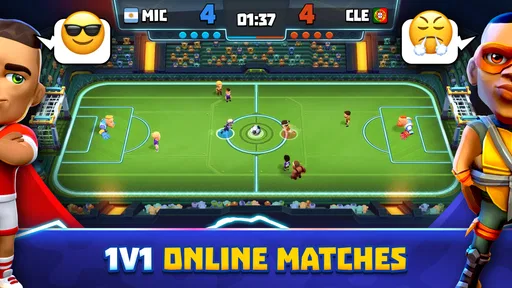
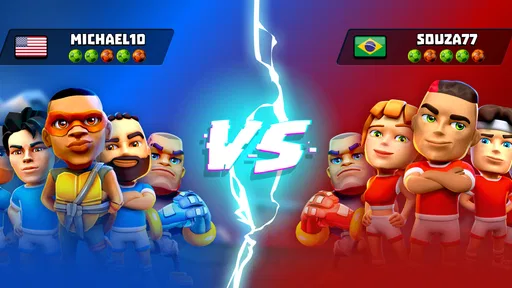
Playing against friends or real players gives the game a different feel from a solo scoring challenge. A shot is not only about getting the ball into the net; it becomes a small test of how well I can read the other player and keep my own attempts composed. That back-and-forth is the part most likely to bring me back, especially when I have someone specific to challenge.
For the most reliable friendly session, I’d agree on a time before opening the game rather than assuming a friend will be ready on demand. That simple habit makes the social side feel intentional instead of turning the app into another notification to check. If I’m playing alone, I’d treat the online format as an opportunity to meet competition, not as a guaranteed substitute for a structured solo career.
The game has a 4.8 average from around 60,000 ratings and has passed one million installs, so it has attracted a substantial mobile audience. Those figures can help a new player judge whether the game has found an audience, but they cannot promise that every opponent or session will suit them. I’d use the first few matches to decide whether its pace and style feel enjoyable on my own device and connection.
Worth Reading Before You Choose

Switching to Android Auto Means Rethinking Your Driving Routine

Google Calendar Makes a Crowded Week Easier to Manage

Baby Panda World Brings Quick Play to Modern Phones, but Its Game Library Feels Busy

ESPN’s Live Game View Makes Following Close Games Easier

QuizzLand Review: A Good Fit for Short Trivia Breaks, Not Every Player

Basketball Stars: Multiplayer Is Fast, but Can It Recover When Matches Go Wrong?
The Gameplay Experience
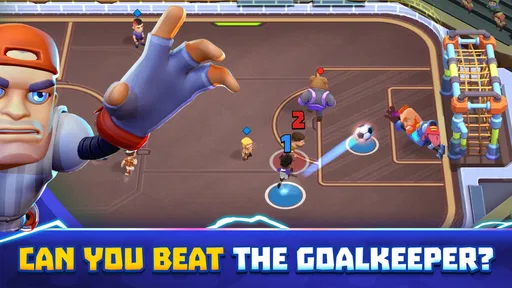
The first thing that struck me about Goal Battle - Soccer Games is its simplicity. You don’t need to be a tactical genius to dive right in. The controls are intuitive, making it a breeze for anyone to start scoring goals. All you need is a quick swipe to launch your ball into the net. It’s like having a mini World Cup right in your pocket!
For a beginner, I’d focus on making deliberate swipes rather than trying to rush every attempt. The appeal of a simple control is that it gets you into play quickly, but it also means each gesture carries much of the responsibility for the shot. Taking a moment to notice how your aim and force affect the result is more useful than repeating the same motion without thinking. That turns a seemingly basic action into a small skill to refine.
This is also where expectations matter. The game’s accessible controls lower the barrier to entry, but they do not make every match automatically relaxing. Competition can still create pressure, and a short, direct format can make missed chances feel conspicuous. I like that trade-off when I want a focused burst of play; if I’m after a passive game to leave running in the background, this is not the right mood.
What makes the game even more engaging is the array of different game modes. Whether you’re looking to challenge yourself with solo play or face off against friends in multiplayer mode, there’s something here for every mood. And trust me, nothing beats the thrill of a last-minute goal during a heated match.
Graphics and Sound Design
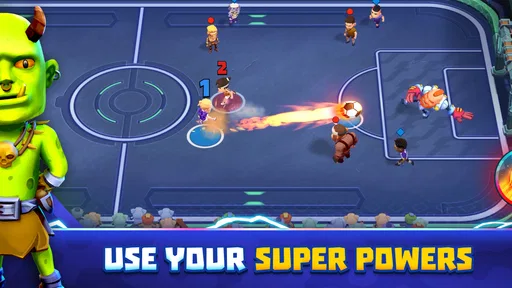
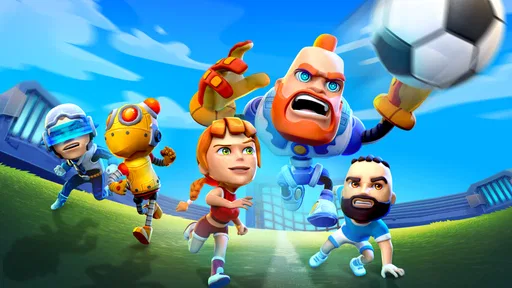
Now, let’s talk about aesthetics. The graphics in Goal Battle are vibrant and colorful, with a charmingly cartoonish style that keeps things light and fun. It’s not trying to be a hyper-realistic simulation, and honestly, that’s part of its charm. The sound effects add to the excitement, with the satisfying roar of the crowd when you score a goal. It’s like being a soccer superstar, minus the grass stains.
That presentation also helps explain who may prefer another kind of soccer game. If I want lifelike player likenesses, detailed stadium spectacle, or a match that feels like a televised fixture, I would look toward a more simulation-focused alternative. If I want a lighter, less serious atmosphere that keeps the emphasis on quick attempts and the contest itself, the cartoon styling is a better fit.
Customization and Features
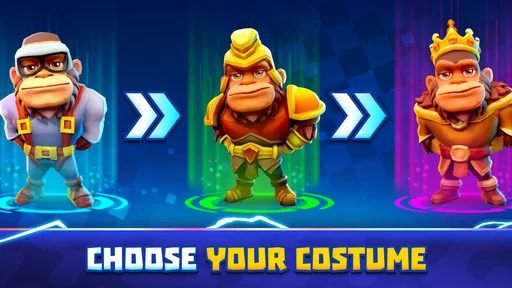
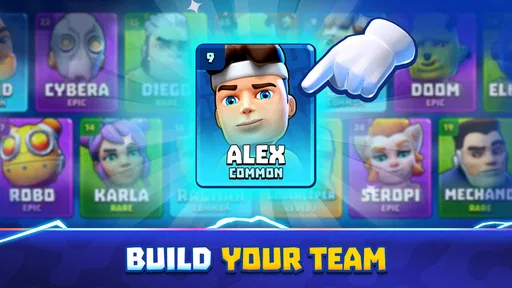
A nifty feature I enjoyed was the customization options. You can personalize your team’s look, choosing from a range of jerseys and emblems. It’s a nice touch that lets you make the game your own. Plus, there are frequent updates and additions, keeping the experience fresh and engaging. The developers seem to genuinely care about enhancing gameplay with new challenges and events.
Customization is most valuable here as a bit of personal identity, not as a reason to expect deep team management. I’d choose a look I like early, then spend my attention learning the match flow rather than getting stuck treating cosmetics as the main goal. Players who prefer squad-building, transfers, training plans, or a long managerial progression may be happier with a soccer management game; that is a different kind of satisfaction from taking a quick online shot contest.
There is also a practical spending question. The game is free to download, while optional in-app purchases range from $0.29 to $199.99 per item. That is a broad span, so I’d decide before playing whether I’m comfortable with optional spending and keep purchases separate from the fun of learning the game. A free starting point makes it easy to test the controls and social format first; it does not mean every optional item will feel worth buying to every player.
Choosing the right alternative—and deciding whether to stay
Compared with the usual alternatives in mobile soccer, this is the pick I’d lean toward for quick, direct competition and simple controls. A full match simulator is a better choice when I want more tactical involvement and a more realistic presentation. A manager-style game suits me better when I’d rather plan a club’s progress than aim and shoot. A solo arcade game may be preferable if I want to play entirely at my own pace without relying on an online opponent.
The cost of switching is low in practical terms: I can try the game, see whether the swipe controls and online contests click, and then return to another style if they don’t. The bigger adjustment is expectation. Someone arriving from a simulation should not judge it by realism, while someone arriving from a purely solo arcade game should decide whether the human-opponent element is a welcome source of variety or an unwanted dependency. I’d give it a handful of focused sessions, rather than one distracted attempt, before making that call.
Age and device fit are worth checking too. The content rating is Everyone 10+, and the current version is 4.694.4; the minimum operating-system requirement is Android 9. I’d confirm that my device meets that requirement before trying to install it, and parents should make their own judgment about whether the game’s online play and purchase options fit their household rules. Those are sensible checks for a competitive mobile game, not reasons to assume every family will make the same choice.
Overall, Goal Battle - Soccer Games is a must-try for any soccer enthusiast looking for a quick and enjoyable gaming session. It’s perfect for those moments when you just want to unwind and have some fun. So, if you’re ready to score some virtual goals and unleash your inner Messi, give this app a shot. You won’t regret it!
My recommendation
I’d recommend it to casual soccer fans, friends who enjoy short head-to-head challenges, and players who value easy-to-grasp controls over simulation depth. I’d skip it if realistic football, long-term team management, or fully self-paced play is the main thing I want. Released on June 25, 2024, it has a broad enough audience to make trying it reasonable, but the right decision still depends on whether online, swipe-led soccer sounds fun to you.
My practical advice is to start with the free download, learn how your swipes translate into shots, and try a match when you have time to finish it without rushing. Keep optional purchases out of the decision until you know what you enjoy. If the quick contest gives you the lively little soccer break you wanted, it earns a place on your phone; if you keep wishing for tactics, realism, or a solo campaign, another type of soccer game will serve you better.
Pros
- Intuitive controls make gameplay easy.
- Variety of game modes keeps it engaging.
- Smooth graphics enhance visual appeal.
- Quick matches perfect for short sessions.
- Regular updates with new features.
Cons
- Requires internet for most features.
- In-app purchases can be costly.
- Advertisements interrupt gameplay.
- Limited customization options.
- Occasional connectivity issues.
FAQs for Goal Battle - PvP Soccer Game
What is the main objective of Goal Battle - Soccer Games?
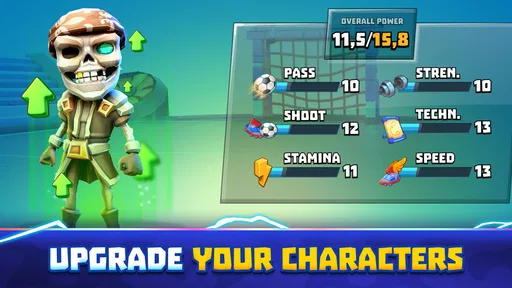
Goal Battle - Soccer Games is designed to provide an engaging soccer experience where players can showcase their skills in various challenging levels. The main objective is to score goals against opponents, complete missions, and rise through the ranks by improving your player’s abilities and unlocking new features.
Is Goal Battle - Soccer Games free to play, or does it have any in-app purchases?
Goal Battle - Soccer Games is free to download and play, but it includes in-app purchases. These purchases can enhance your gaming experience by unlocking special items, boosting your player’s skills, or removing ads. Players can still enjoy the game without purchasing, although some features may be limited.
What are the device requirements for Goal Battle - Soccer Games on Android and iOS?
For Android, Goal Battle - Soccer Games requires version 5.0 or higher, and for iOS, it needs iOS 11.0 or later. Ensure your device meets these requirements for optimal performance. The game may also need a stable internet connection for certain features like multiplayer mode or updates.
Does Goal Battle - Soccer Games support multiplayer mode?
Yes, Goal Battle - Soccer Games offers a multiplayer mode where you can compete against friends or other players globally. This feature enhances the interactive experience, allowing you to test your skills against real opponents and climb the global leaderboard for rewards and recognition.
How does the game handle player progress and data storage?
The game automatically saves your progress to ensure your achievements and unlocked features are preserved. Connecting to social media accounts or using cloud storage options can further safeguard your data. This is especially useful if you switch devices or need to reinstall the game.


